Search scripts, guides, tools and plain-English explanations.
Descriptions are searchable. Opening a result does not unlock paid content or use a weekly script choice. Search text stays in this browser.
TRADESCORE LABS · HELP & TOOLS
Understand the setup before you buy
Original illustrated explanations based on published product information. No hands-on speed, coverage or reliability testing is claimed.
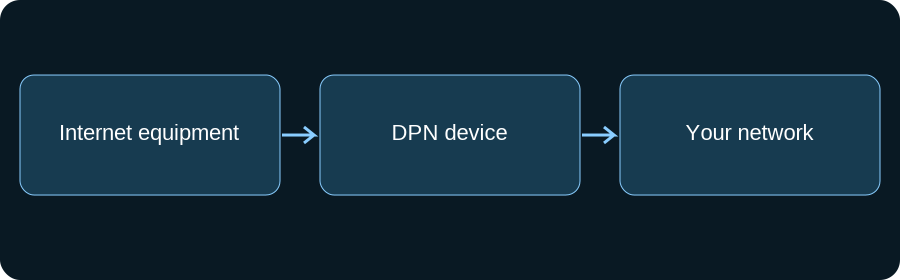
Wired DPN: plan the connection
Use the exact Mini or Mini SE connection diagram to identify what belongs on each side. Check power and Ethernet requirements. Do not assume this conceptual diagram replaces the model’s wiring instructions.
Open the exact model’s setup instructions and compare its ports and power with your equipment.
List any missing adapters, service subscriptions or provider requirements before ordering.
After setup, test ordinary browsing on one device, then the features you bought it for. Keep your previous working setup available.
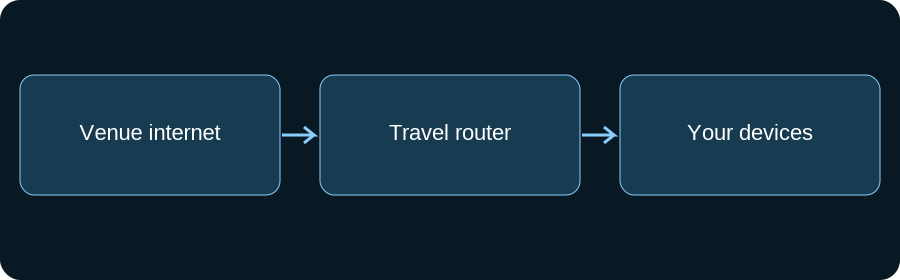
Check whether the venue permits connection sharing and how its login page works. Configure the exact model using GL.iNet documentation, then test one device before relying on it for work.
Open the exact model’s setup instructions and compare its ports and power with your equipment.
List any missing adapters, service subscriptions or provider requirements before ordering.
After setup, test ordinary browsing on one device, then the features you bought it for. Keep your previous working setup available.
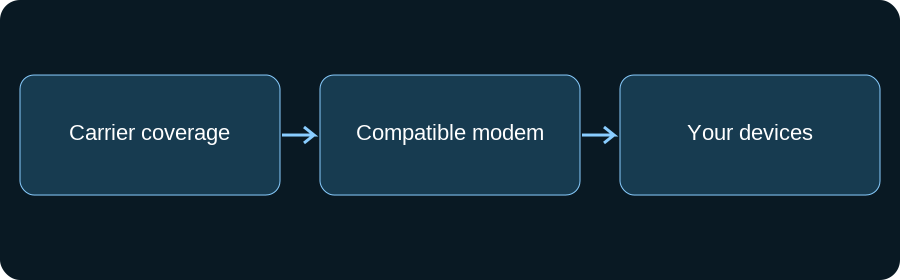
Confirm country coverage, regional bands, unlocked-device requirements and the data plan. A SIM or eSIM plan does not add cellular hardware to a router that lacks it.
Open the exact model’s setup instructions and compare its ports and power with your equipment.
List any missing adapters, service subscriptions or provider requirements before ordering.
After setup, test ordinary browsing on one device, then the features you bought it for. Keep your previous working setup available.
Register free for 5 scripts and 5 guide PDF choices weekly. Buy a pass for unlimited scripts and guides during its active period. Create your free account · Compare passes
Editorial review: 27 October 2026. Follow the manufacturer’s instructions for your exact model and version.