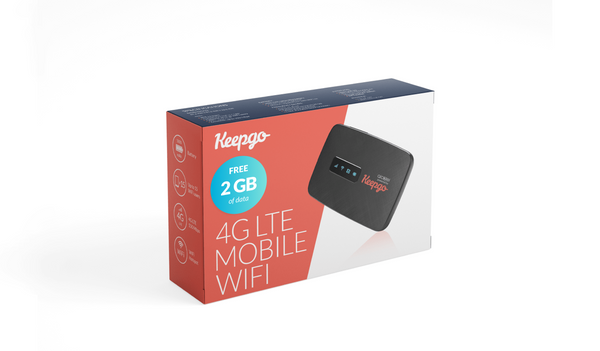
Portable Wi-Fi
Lifetime World Hotspot
A separate mobile hotspot bundle for sharing connectivity.
Worth considering for: Connecting Wi-Fi devices without fitting a SIM into each one.
View official details ↗
Search scripts, guides, tools and plain-English explanations.
Descriptions are searchable. Opening a result does not unlock paid content or use a weekly script choice. Search text stays in this browser.
eSIM · SIM CARDS · MOBILE HOTSPOTS
Compare mobile-data options for travel and backup connectivity, from an eSIM on your phone to a separate Wi-Fi hotspot.
Explore Keepgo ↓Before you buyKeepgo supplies prepaid mobile data through eSIMs, physical SIM cards and hotspot bundles. Coverage depends on the particular bundle and local partner networks.
FIND YOUR FIT
Selected products and categories, checked 20 October 2026. Check current specifications, prices and availability with the provider.
Portable Wi-Fi
A separate mobile hotspot bundle for sharing connectivity.
Worth considering for: Connecting Wi-Fi devices without fitting a SIM into each one.
View official details ↗Check the right product family
The catalogue includes regional SIM bundles and a separate IoT SIM range.
Worth considering for: Comparing regional travel or specialist connected-device needs.
View official details ↗
Physical SIM
A prepaid data SIM for compatible unlocked phones, tablets and routers; the consumer SIM is not for IoT devices.
Worth considering for: A compatible device with an available SIM slot.
View official details ↗Digital installation
Browse destination-based data bundles for compatible unlocked devices.
Worth considering for: A supported phone with no physical SIM delivery required.
View official details ↗BUY WITH CONFIDENCE
Treat these as mobile-data products. Check voice and SMS requirements separately before changing your usual SIM setup.
The official site distinguishes direct SIM/eSIM use on unlocked compatible devices from connecting a phone to a separate hotspot over Wi-Fi.
No. Mobile data gives you a connection. A VPN changes how traffic is carried over an existing connection.
Product information is based on the provider’s own listings, not hands-on testing. Specifications and plans can change.
Keepgo official catalogue and current details ↗Product cards link to their source pages. Manufacturer photos, where shown, belong to the respective manufacturer; symbolic artwork is illustrative.
Try the practical guides before buying replacement equipment.
Device and connectivity guides → Find a fix by symptom →