
TRADESCORE LABS · PRACTICAL HELP
Wi-Fi connected, but websites will not load
Continue on my phone

Compare devices before changing router settings.
Complete free guide · no sign-in needed · about 10–15 minutes. Use your own device; ask your organisation before changing a managed device.
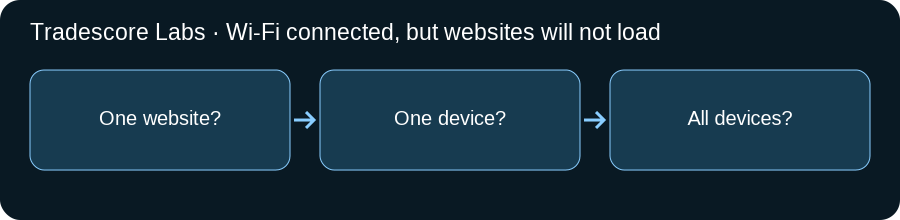
Try two unrelated websites
Open two trusted sites. If just one fails, try its official service-status page. A single unavailable website does not mean your Wi-Fi is broken. Do not click through certificate warnings.
Compare another device on the same Wi-Fi
Connect a phone or second computer to the same network. On the phone, temporarily turn mobile data off so the comparison really uses Wi-Fi; turn it back on afterwards. If the second device works, focus on the first device.
If only one device fails
Check airplane mode is off and the Wi-Fi network name is correct. Disconnect and reconnect to that network. Save your work and restart the affected device. On Windows, open Get Help and search for network troubleshooting. Avoid forgetting the network unless you know its password.
If every device fails
Check router power and cables without pressing Reset. Use mobile data to check your provider’s official service-status page. If an outage is listed, follow the provider’s update rather than changing your equipment.
Restart the router only when appropriate
If the provider reports no outage, follow your router or provider’s restart instructions. Warn others first: internet calls and connected devices will disconnect. Do not interrupt a firmware update. A restart is different from a factory reset.
Check the result and stop if fixed
Retry the same two websites. If they now load on both devices, stop changing settings. If all devices still fail, contact the internet provider with the router light pattern and the time the problem began. If only one fails, use the device maker’s support guide.
Did this fix it?
Anonymous guide feedback uses your optional website analytics setting.Official instructions
Microsoft Wi-Fi troubleshooting ↗Want the wider library?
This guide stays free. Register for 5 script choices and 5 guide PDF downloads each week, or buy a one-off pass for unlimited access during its active period.
Register free → · Browse downloadable troubleshooting packs →Reviewed 27 October 2026. Menus, prices and availability can change. Check your exact device and software version.
Free illustrated guides · Known problems & update checks · Compare connectivity options