
TRADESCORE LABS · PRACTICAL HELP
Bluetooth headphones will not connect
Continue on my phone

Separate a pairing problem from an audio-output problem.
Complete free guide · no sign-in needed · about 10–15 minutes. Use your own device; ask your organisation before changing a managed device.
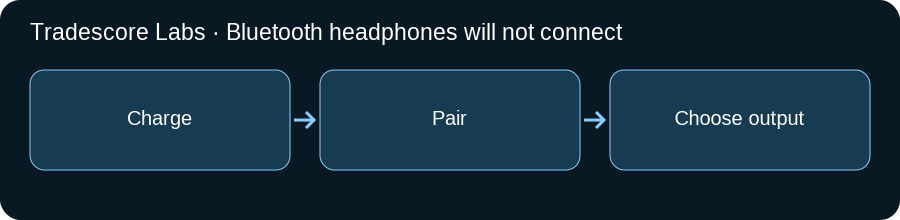
Charge and switch on the accessory
Check its battery and power indicator. Keep it close to the phone or computer. Check the manufacturer’s instructions for the exact pairing button; holding the wrong button can trigger a reset.
Check Bluetooth on the device
Open the device’s Bluetooth settings and switch Bluetooth on. Check airplane mode. If it already shows Connected, skip to the audio-output check below; pairing again may not be necessary.
Check whether another device has claimed it
Headphones may reconnect to a nearby phone. Temporarily disconnect them from that phone, then place them in pairing mode. Do not delete pairings from equipment you do not own.
Add the accessory
On Windows 11, open Settings → Bluetooth & devices → Add device → Bluetooth. Select the exact accessory name. On a phone, use its Bluetooth settings. Only accept a pairing request you initiated and recognise.
Select it for sound
Play a short sound at low volume and choose the headphones as the output in sound settings. For calls, also select the correct microphone inside the calling app. If audio works in one app only, check the other app’s device selection.
If it still fails
Restart the accessory and your device, then retry. Use Windows Get Help for Bluetooth or the manufacturer’s model-specific guide. Test the headphones with another device you own: failure on both points towards the accessory. Do not factory-reset until you understand what settings it removes.
Did this fix it?
Anonymous guide feedback uses your optional website analytics setting.Official instructions
Microsoft Bluetooth troubleshooting ↗Want the wider library?
This guide stays free. Register for 5 script choices and 5 guide PDF downloads each week, or buy a one-off pass for unlimited access during its active period.
Register free → · Browse downloadable troubleshooting packs →Reviewed 27 October 2026. Menus, prices and availability can change. Check your exact device and software version.
Free illustrated guides · Known problems & update checks · Compare connectivity options